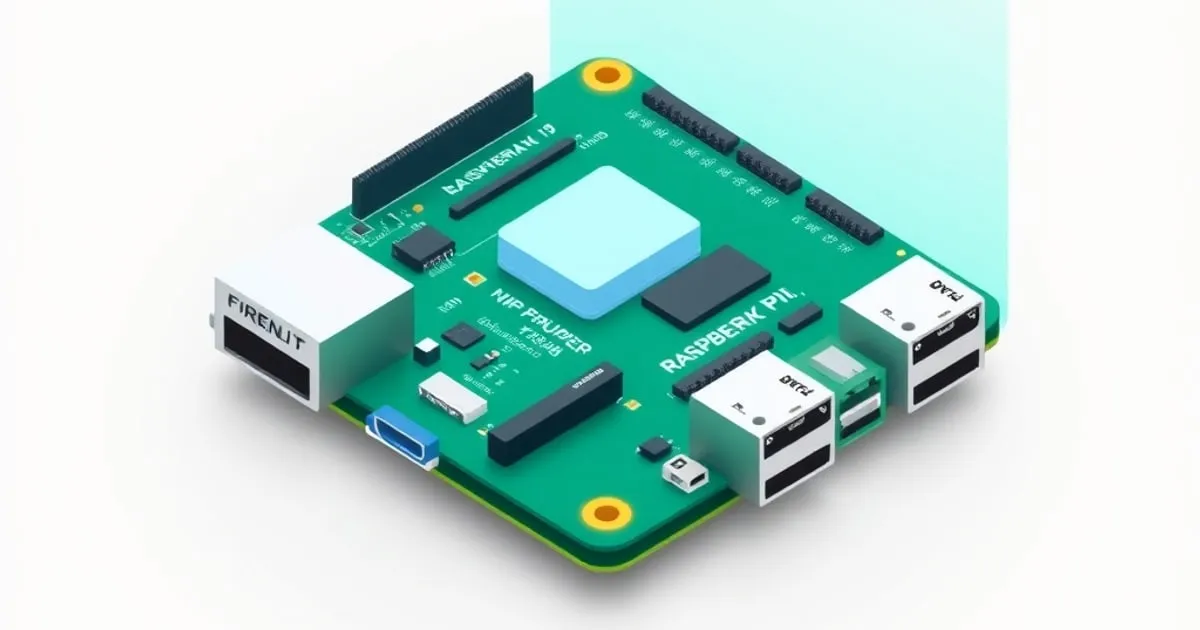
Short answer: OPNsense does not run on a Raspberry Pi. The project publishes images for one CPU architecture, and it is not the one in your Pi. The official hardware documentation states it plainly: “OPNsense is available for x86-64 (amd64) bit microprocessor architectures.” The download page offers a single architecture selector, fixed to amd64, across all four image types (nano, dvd, vga, serial).
That is the whole answer, and it has not changed in years. What follows is why the question keeps coming back, why building it yourself is a bad idea for an edge device, what the Pi is genuinely good at next to an OPNsense box, and what to buy if the goal was really “cheap, small, quiet firewall.”
Why people keep asking
The Raspberry Pi has an obvious shape for this job. It is inexpensive, it draws single-digit watts, it is silent, it fits behind a modem, and most homelab operators already have a spare one in a drawer. Router firmware like OpenWrt runs on it. So the mental leap to “surely OPNsense runs on it too” is short.
The gap is architectural, not political. OPNsense is a FreeBSD distribution, and its kernel, base system, and entire signed plugin repository are compiled for amd64. A Raspberry Pi 4 or 5 is arm64 (aarch64). There is no compatibility layer that bridges that at the kernel level, and no arm64 package set to install plugins from. The installer image will not boot, and there is nothing to point a workaround at.
pfSense is in the same position for the same reason, so switching platforms does not rescue the plan. If you are still weighing the two, the OPNsense vs pfSense comparison for homelabs covers the differences that actually matter, none of which is ARM support.
”Can I just compile it myself?”
Technically the ingredients exist. FreeBSD treats arm64 as a first-class platform and publishes Raspberry Pi images directly, as documented on the FreeBSD ARM platform page. OPNsense’s build tooling is open source. Nothing forbids you from pointing it at aarch64 and grinding through it.
Do not put the result on your edge. Three reasons, in order of how badly they end:
- No update path. OPNsense’s value on a gateway is fortnightly signed security updates from the project’s mirrors. A self-built arm64 image has no repository to pull from. Every patch becomes a rebuild you personally own, forever, on the device that terminates your internet connection.
- No plugins. The plugin catalogue — Suricata, HAProxy, ACME client, Zenarmor, Telegraf — is distributed as packages built for the amd64 ABI. Those are most of the reasons to run OPNsense rather than a consumer router. Losing them removes the point.
- Unsupported by definition. Every forum answer, every documentation page, and every troubleshooting step assumes the supported architecture. When something breaks at 11pm and the house has no internet, you will be debugging alone.
A firewall is the one machine in a homelab where “interesting experiment” and “production” must not be the same box.
The hardware would fight you anyway
Even in a hypothetical world where the image booted, the Pi is a poor firewall chassis:
- One network port. A Pi 4 or Pi 5 has a single onboard gigabit Ethernet interface. A firewall needs at least two. The usual fix is a USB 3.0 Ethernet adapter, which adds a driver dependency, a bus arbitration point, and a common failure mode directly into your WAN path. The Pi 5’s PCIe FPC connector is a better hook for a real NIC, but it is a single lane and the adapter ecosystem is aimed at NVMe storage.
- Realtek-class NICs. The OPNsense hardware guide is explicit that Intel NICs “deliver higher throughput at a reduced CPU load.” USB dongles are almost universally Realtek or ASIX. Inline IPS in particular is unhappy on those chipsets.
- Flash wear. OPNsense’s minimum spec allows an SD card, but only for the nano images, and only for a substantially narrowed feature set. Turn on Suricata IDS/IPS, reporting, or Netflow and the alert database writes continuously. Cheap flash dies from that, and it dies while routing your traffic.
- Software AES. The Cortex-A72 in the Raspberry Pi 4 does not implement the optional ARMv8 cryptography extensions, so AES runs in software rather than in hardware. That is the difference between a VPN that saturates your uplink and one that pins a core. Verify crypto-extension support on any ARM board before assuming otherwise.
- RAM headroom. The documented reasonable specification is 4 GB, and the recommended specification is 8 GB with a 120 GB SSD. A 2 GB Pi is under the floor before you enable anything interesting.
What the documented specs actually ask for
It is worth reading the sizing table on its own terms, because it is more modest than the forums suggest and it explains what to buy instead:
| Tier | CPU | RAM | Install target | Throughput band |
|---|---|---|---|---|
| Minimum | 1 GHz dual-core | 3 GB | 4 GB SD/CF, nano image | 11–150 Mbps, narrowed feature set |
| Reasonable | 1 GHz dual-core | 4 GB | 40 GB SSD | 151–350 Mbps, all features |
| Recommended | 1.5 GHz multi-core | 8 GB | 120 GB SSD | 350–750+ Mbps, all features |
Source: the OPNsense hardware sizing documentation. Note that these are feature tiers, not raw routing limits — plain NAT routing at a gigabit is well within reach of modest hardware, and the numbers climb sharply once inline inspection is enabled.
Nothing there demands an expensive machine. It demands an x86-64 machine with two Intel NICs and a real SSD.
If you want an ARM router, use ARM router software
The Pi is not the wrong hardware for routing in general. It is the wrong hardware for OPNsense. Three projects meet it where it is:
- OpenWrt. Officially supports Raspberry Pi boards, with a maintained device page and current target images. It is the closest thing to a drop-in answer, and its package ecosystem covers VLANs, WireGuard, and DNS filtering. It is not a BSD firewall distribution and the configuration model is completely different.
- IPFire. Publishes aarch64 builds and has long-standing Raspberry Pi support, with a zone-based firewall model that is conceptually closer to OPNsense than OpenWrt is.
- VyOS. Publishes arm64 images and is the right choice if what you actually want is a CLI-driven router with routing-protocol depth. Board-level support varies by release, so check the current image list rather than assuming.
Pick one of those and you get a supported update path, which is the thing a self-built OPNsense image can never give you.
The setup that is actually worth building
The productive move is not “Pi instead of OPNsense.” It is “Pi next to OPNsense.” Keep the firewall on x86 and hand the Pi the jobs it is genuinely good at:
- DNS filtering. Run AdGuard Home or Pi-hole on the Pi and point OPNsense’s Unbound resolver at it, or hand it out by DHCP as the LAN resolver. This keeps blocklist churn off the firewall entirely, and a Pi reboot does not take the gateway with it.
- Out-of-band console. Wire the Pi’s serial pins to the firewall’s console port. When a bad rule locks you out of the GUI, you still have a way in that does not depend on the firewall routing correctly — a genuinely useful safety net when you are working through firewall rules on a live gateway.
- Metrics collector. OPNsense’s Telegraf plugin exports to InfluxDB. Run the database and Grafana on the Pi so your dashboards survive the firewall being down, which is exactly when you want to look at them.
- Config backup target. Schedule the OPNsense config export to land on the Pi, off the firewall’s own storage.
- Second-path VPN endpoint. A WireGuard listener on the Pi behind a different uplink gives you a way back in when the primary path fails. The WireGuard road-warrior guide covers the OPNsense side of that pairing.
None of that requires the Pi to route a packet, and all of it makes the OPNsense box more reliable rather than less.
What to buy instead
Once you add a case, a decent power supply, an NVMe HAT, and a USB Ethernet adapter, a Raspberry Pi 5 build is not the cheap option it looked like — and the machine still cannot run the software. A used quad-NIC N100 or J6412 mini PC lands in the same price band and runs OPNsense natively with Intel NICs and a real SSD.
One guide covers that decision: Best hardware for OPNsense in 2026 sizes CPU, NICs, and RAM across three tiers, including used and refurbished enterprise gear, plus current mini PCs and Protectli and Deciso appliances.
If the appeal of the Pi was low power draw, settle that with a measurement rather than an assumption. A Kill A Watt P3 P4400 on the wall socket shows the real idle delta between a fanless mini PC and a Pi, which is usually a few watts and rarely worth an unsupported firewall.
And if the appeal was “I want to try it without buying anything,” the honest answer is virtualization: install OPNsense on Proxmox on hardware you already own, or follow the OPNsense initial setup guide on any spare x86 box with two network ports.
FAQ
Can OPNsense run on a Raspberry Pi 5?
No. OPNsense publishes installer images for the x86-64 (amd64) architecture only, as stated in the official hardware documentation and reflected in the download page’s fixed architecture selector. The Raspberry Pi 5 is arm64 (aarch64), so the installer will not boot and there is no arm64 plugin repository to install from. This is unchanged from the Pi 4 and earlier boards.
Does pfSense run on ARM or a Raspberry Pi?
No. pfSense is also distributed for amd64 only, so switching from OPNsense to pfSense does not solve the architecture problem. Netgate’s own ARM-based appliances ran a vendor-specific build that was never offered for third-party ARM boards. For a Raspberry Pi, the supported router-firmware options are OpenWrt, IPFire, and VyOS.
What is the cheapest hardware that will actually run OPNsense?
Any x86-64 machine with two network interfaces meets the requirement. The documented reasonable specification is a 1 GHz dual-core CPU, 4 GB of RAM, and a 40 GB SSD. In practice a used quad-NIC N100 or J6412 mini PC with Intel NICs is the best value, because Intel chipsets deliver higher throughput at lower CPU load and are required for inline IPS to work reliably.
Can a Raspberry Pi be a backup firewall for failover?
Not for CARP-based failover, which requires two nodes running the same OPNsense version and synchronising state over pfsync. A Pi can serve as an out-of-band access path — a serial console to the firewall, or a WireGuard endpoint on a separate uplink — which covers the recovery case that most homelabs actually hit.
Is there any officially supported ARM version of OPNsense planned?
The project publishes no arm64 images and the hardware documentation lists x86-64 as the supported architecture. Treat any change here as something to verify on the official download page rather than something to plan around, and size ARM hardware only for the projects that officially target it.


